

Do you still get frustrated about no Pinyin and translation provided when watching Mandarin-speaking videos/series dramas/movies?
Here is the solution for you: Langauge Reactor app in Chrome browser.
How does it look like?
This is the demonstration after installing Language Reacotr app.
You have access to origional Mandarin character, pinyin, and translation(could be English, Japanese, French, Spanish, Korean, and so on)

How to install?
Firstly, type “Language Reactor” in google search bar, and “Add to Chrome” as the extension

What should we set up for Default?
Answer is NO Need!
Enter Language Reactor Page, and in fact we do not need to register an account or set up any default here.
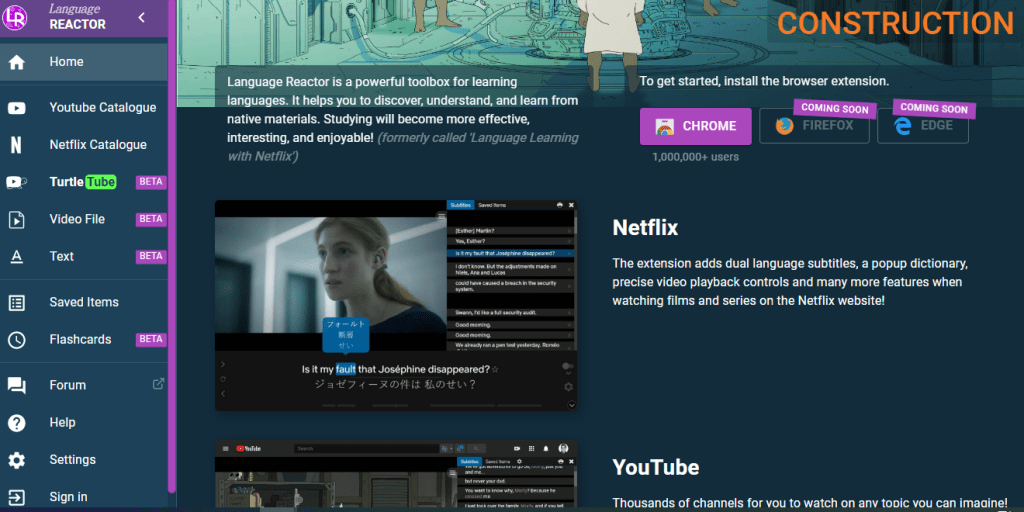
Find Youtube videos with CC/Subtitles
Let’s open Youtube page now.
Find videos with cc subtitle. How to filter? Please click Filter

Example
This is the video from 消失的國界(Xiāoshī de guójiè, disappearing borders)

As you can see, the first line is Chinese character with pinyin. When you swipe your mouse onto it, you will find the translation for each character. For the translation, you can set up translating language to Korean, Japanese, French, Spanish.
Language Reactor Application in Netflix
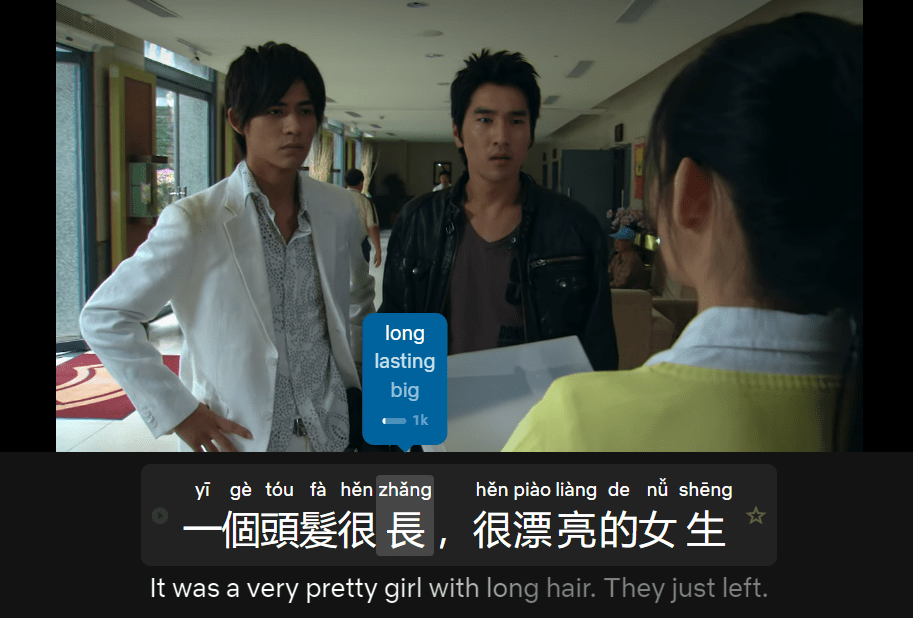
In Netflix as well, this is one of Taiwan’s most famous series drama called “痞子英雄(Pǐzi yīngxióng)”
Or I recommend that you watch “華燈初上 Huá dēng chū shàng (Light the Night)”

Again, the first line is the character with pinyin, and the second line is your default translation language.
Still not sure how to use double subtitle?
Check our video!
Another alternative when watching on Disney+
Language Reactor does not, so far, support Disney+, so Dualsub would be the alternative to this issue.

 🚀🚀Mandarin Meta 華語元宇宙